
Roboteer1.2 - Google Play
You'll be able to see results in few seconds.
Publisher Description
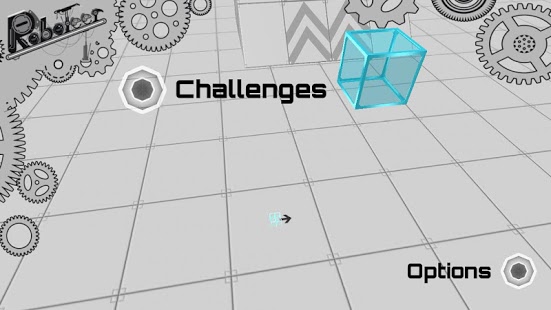
Roboteer1 is FREE for a limited time
Brought to you by 3 Magic Shots. Download 3 Magic Shots to get more awesome apps like Roboteer1 for FREE
TEST IT - BLOW IT UP - REDESIGN IT
(no advertising)
Robotics is all about problem analysis, design, engineering, testing, prototyping, breaking down, starting over, redesigning, retesting, etc, until you eventually have a robot that solves the problem.
Roboteer brings this process to a non-technical game level where the player is the Robotics Engineer, i.e Roboteer, who has to perform all the tasks of the Robotics Engineer, including:
- analyzing the challenge
- formulating a design,
- constructing the design,
- prototyping the robot,
- testing its operation,
- blowing it up and starting over,
- repeating this prototyping cycle until the design and operation can successfully complete the challenge.
WHAT PLAYERS THINK:
“Whoever designed this is evil”, High School student, on his 8th prototyping cycle.
“I did it, my robot won a medal”, 8 year old who completed his first challenge.
“I love blowing up my robot, its so cool”, 5 year old who is still learning
“I could use this in class”, School teacher with unruly, bored students
“Oh this has girly colors”, young teenage girl who likes robots.
“Roboteer is like the Minecraft of Robotics”, a confirmed gamer.
Getting Started:
Only 2 things matter in this game.
1. Build your robot by dragging your components onto the “Power Cube” or other components.
2. Play button to operate your robot, and touch the screen to activate a virtual operator control circle. All other components have touch buttons.
Go For It! TEST IT, BLOW IT UP, REDESIGN IT
About Roboteer
The company that develops Roboteer is Cogmation Robotics. The latest version released by its developer is 1.2.
To install Roboteer on your Android device, just click the green Continue To App button above to start the installation process. The app is listed on our website since 2013-09-29 and was downloaded 0 times. We have already checked if the download link is safe, however for your own protection we recommend that you scan the downloaded app with your antivirus. Your antivirus may detect the Roboteer as malware as malware if the download link to com.CogmationRobotics.Roboteer is broken.
How to install Roboteer on your Android device:
- Click on the Continue To App button on our website. This will redirect you to Google Play.
- Once the Roboteer is shown in the Google Play listing of your Android device, you can start its download and installation. Tap on the Install button located below the search bar and to the right of the app icon.
- A pop-up window with the permissions required by Roboteer will be shown. Click on Accept to continue the process.
- Roboteer will be downloaded onto your device, displaying a progress. Once the download completes, the installation will start and you'll get a notification after the installation is finished.
Program Details
System requirements
Download information
Pricing
Version History
version 1.2
posted on 2013-09-29
version 1.2
posted on 2013-05-10
Several fixes and updates
Disclaimer
Official Google Play Link
We do not host Roboteer on our servers. We did not scan it for viruses, adware, spyware or other type of malware. This app is hosted by Google and passed their terms and conditions to be listed there. We recommend caution when installing it.
The Google Play link for Roboteer is provided to you by apps112.com without any warranties, representations or guarantees of any kind, so access it at your own risk.
If you have questions regarding this particular app contact the publisher directly. For questions about the functionalities of apps112.com contact us.
